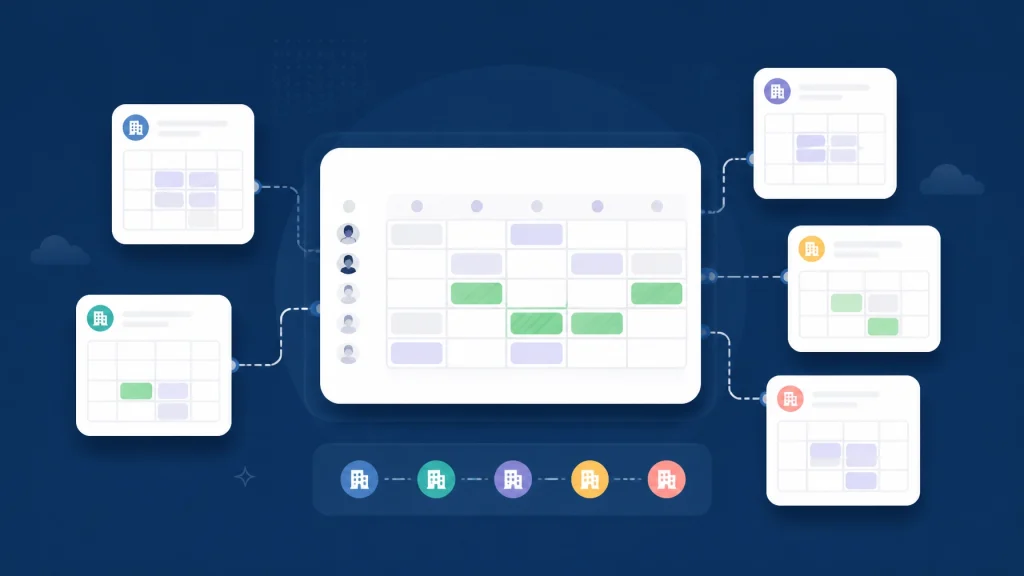
Need to coordinate calendars across companies without long email threads, repeated rescheduling, or exposed event details? These five signs show when your team needs a cross-company scheduling tool: and how CalendarConnect helps you find mutual availability faster.
Scheduling one internal meeting is usually manageable. Scheduling a meeting with a client, vendor, or partner is different.
You may need to account for several organizations, different calendar systems, multiple time zones, and privacy restrictions. A simple question such as “What time works for you?” can turn into days of replies and follow-ups.
Research from Doodle’s guide to scheduling technology platforms found that emailing back and forth to find a time for one meeting could take up to 30 minutes, based on its 2019 State of Meetings Report. That time adds up quickly when your team schedules external meetings every week.
Here are five signs that manual coordination is costing your team too much.
1. Every meeting starts with a long email thread
If your team regularly sends messages such as these, your current process is showing its limits:
- “Does Tuesday afternoon work?”
- “I can do Wednesday at 10, but not 10:30.”
- “Can you check with your team?”
- “Let’s try next week.”
- “Which time zone are you using?”
Repeated back-and-forth emails are more than an inconvenience. They make meeting coordination dependent on slow responses, manual comparisons, and someone remembering every change.
This problem becomes more noticeable when you schedule meetings with external clients or coordinate with vendors and partners who are not part of your company’s calendar environment. You cannot simply open a shared internal calendar and look for an open slot.
A calendar scheduling tool replaces the conversation with visibility. Instead of asking everyone to list their availability, you can invite participants to connect their calendars and review mutual openings in one place.
CalendarConnect provides a shared view of free and busy availability across organizations. You see the overlap without seeing private event information.

2. External partners use different calendar systems
Your team may use Google Calendar. A client may use Microsoft Outlook. A vendor may rely on Apple Calendar. Even when everyone uses a digital calendar, the systems may not communicate clearly with one another.
This is where many teams discover that a standard meeting scheduler app is designed mainly for internal scheduling: not cross-company scheduling.
Calendar system differences create several practical problems:
- You cannot see an external participant’s calendar directly.
- Calendar sharing policies may vary between organizations.
- One person may send availability in their local time while another reads it in a different time zone.
- A calendar invitation may not reflect the latest changes.
- Free/busy permissions may be limited by an administrator.
Google Workspace allows administrators to restrict external calendar sharing to free/busy information without event details. Microsoft 365 also supports external sharing that shows when someone is busy without exposing subjects or meeting content, as explained in Microsoft’s documentation on sharing calendars with external users.
Apple’s standard iCloud sharing options are different. Apple supports private and public calendar sharing, but its official documentation does not describe a dedicated free/busy-only sharing mode. See Apple’s guide to sharing an iCloud calendar.
A cross-company scheduling platform gives you a more consistent process. CalendarConnect connects availability from Google, Outlook, and Apple calendar environments as part of a cross-organization workflow, subject to the current availability of each integration. Participants authorize access once, and the platform uses availability information to identify workable meeting times.
You do not need to migrate your business calendar software. You keep using the calendars your organization already relies on.
3. Meetings are frequently rescheduled
One rescheduled meeting is normal. A pattern of rescheduling is a process problem.
Frequent changes often happen because the first time was selected without a complete view of everyone’s availability. Someone notices a conflict later. Another participant is working in a different time zone. A client’s calendar changes before the invitation is accepted.
The result is familiar:
- You suggest several times.
- Participants reply with different constraints.
- You select the best option available.
- Someone finds a conflict.
- You start over.
This creates delays and reduces confidence in the schedule. It can also affect project milestones, sales conversations, vendor decisions, and recurring partner meetings.
A team scheduling tool should help you check the complete group before you send the invitation. CalendarConnect highlights mutual slots across participating organizations, so you can choose a time that works for everyone from the start.
For recurring meetings, the availability checker can review multiple occurrences rather than checking only the first date. That matters when you are coordinating weekly project reviews, monthly vendor meetings, or ongoing client sessions.
You replace repeated corrections with one clear action: identify a mutual slot, then send the actual invitation through your existing Google, Outlook, or Apple Calendar.
4. You cannot see true mutual availability
A green space on your calendar does not necessarily mean a meeting will work.
The other participants may be busy. Their working hours may differ from yours. Their calendars may include tentative events or blocked time that you cannot see. Without external participant calendar availability, you are making an educated guess.
This is the central challenge of multi-company meeting scheduling. You need to find meeting times across companies, but you do not need: or want: to see the details of every event.
The right solution is free busy calendar across organizations visibility:
- Free: The participant can meet.
- Busy: The participant has a calendar conflict.
- Mutual: Everyone is available in the selected window.
CalendarConnect uses a privacy-first approach to free busy calendar sharing. Participants authorize access to availability, not the contents of their calendars. Event titles, descriptions, attendee lists, and notes remain private.
This is important for teams working with confidential projects, customers, suppliers, or regulated information. You get the visibility required for coordination without creating unnecessary exposure.
It also gives each organization more control. Google and Microsoft users can manage their own calendar permissions, and participants can revoke access through their calendar account settings.

5. Administrative coordination takes too much of your team’s time
Scheduling may not appear on a project plan, but it still consumes real working time.
Project managers, executive assistants, sales representatives, consultants, and partnership teams often become the unofficial coordination layer. They compare calendars, send reminders, track replies, update invitations, and explain time-zone differences.
That work is especially expensive when the same people also manage:
- Client onboarding
- Vendor reviews
- Procurement meetings
- Partnership discussions
- Implementation planning
- Cross-functional project updates
- Recurring steering committees
A basic shared calendar software solution can help internal teams see one another’s schedules. It does not always solve the harder problem: coordinating people across separate companies and calendar systems.
A dedicated cross team calendar availability tool is designed for that space between organizations. It gives you one workflow for adding participants, collecting authorization, checking availability, and confirming the best time to meet.
CalendarConnect keeps the process simple:
- Create a project. Add the people who need to attend, including external participants.
- Invite participants. Each person receives a request to connect their calendar.
- Authorize once. Participants share free/busy availability without exposing event details.
- Review mutual slots. See the times that work across companies and time zones.
- Choose a time. Select the best mutual slot, then send the actual invitation from your existing Google, Outlook, or Apple Calendar.
No migration is required. No one needs to learn a new calendar system. The workflow works alongside the calendars your teams already use.
What to look for in a cross-company scheduling tool
If one or more of these signs sounds familiar, look for a platform that provides:
- A shared view of availability across organizations
- Privacy-first free/busy calendar sharing
- Google and Outlook compatibility, with Apple calendar support where available
- Time-zone-aware mutual slot detection
- Recurring availability checks
- One-time participant authorization
- Clear mutual slot selection before you send the invitation
- No calendar migration
Be cautious with tools described only as an outlook google calendar availability checker. Checking two calendars is useful, but many business workflows involve three or more organizations, different systems, and participants outside your company.
You need more than a time finder. You need a dependable process for cross organization calendar coordination.
Make external scheduling easier to manage
If your team is sending repeated follow-ups, working around incompatible systems, and spending too much time confirming availability, manual scheduling is already affecting productivity.
CalendarConnect gives you one shared view of mutual availability across companies. Connect the calendars you already use, protect private event details, and find a workable time without the usual back-and-forth.
Start coordinating calendars across companies with CalendarConnect.
Sources
- Doodle: The Comprehensive Guide to Scheduling Technology Platforms
- Google Workspace: Set calendar sharing options
- Google Calendar Help: Share your calendar
- Microsoft Learn: Share calendars with external users
- Microsoft Support: Share an Outlook calendar as view-only
- Apple Support: Share an iCloud calendar
- CalendarConnect